 EcoPVSx - Web interface
Inverter values and settings
Experimental: the EcoPVSx as a whole is still experimental; functions may still change.
How to open the page is described in the general guide.
Inverter values
The values come first, grouped into Inverter, PV, Grid and Battery. Choose the language at the top right. The values are updated about every 90 seconds.
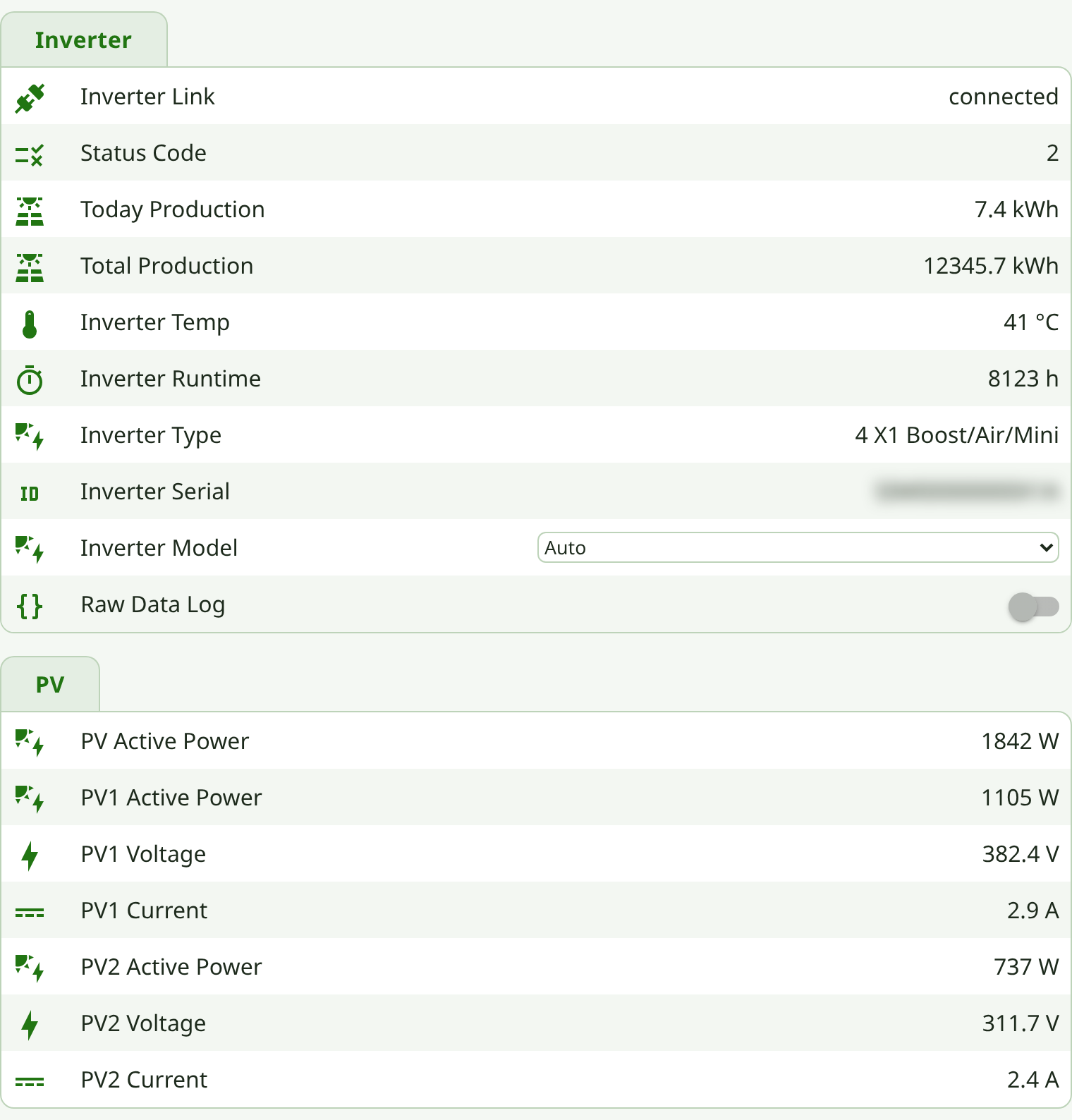
The values in the picture are sample values. The serial number is blurred.
Data format
With Auto (default) the stick follows the type reported by the inverter. Only if Inverter Link keeps showing unknown data, choose another one under Inverter Model. Then check that the values match those on the display of the inverter: a wrong format can show wrong numbers.
Raw data log
The switch Raw Data Log writes the replies of the inverter unchanged into the log (Debug Log at the bottom of the page). This helps us with problems with your model. Switch it off again afterwards.
The raw data contain the serial number of your inverter. Only pass them on if you agree to that.
Group EcoSensor
The group EcoSensor holds everything for the setup:
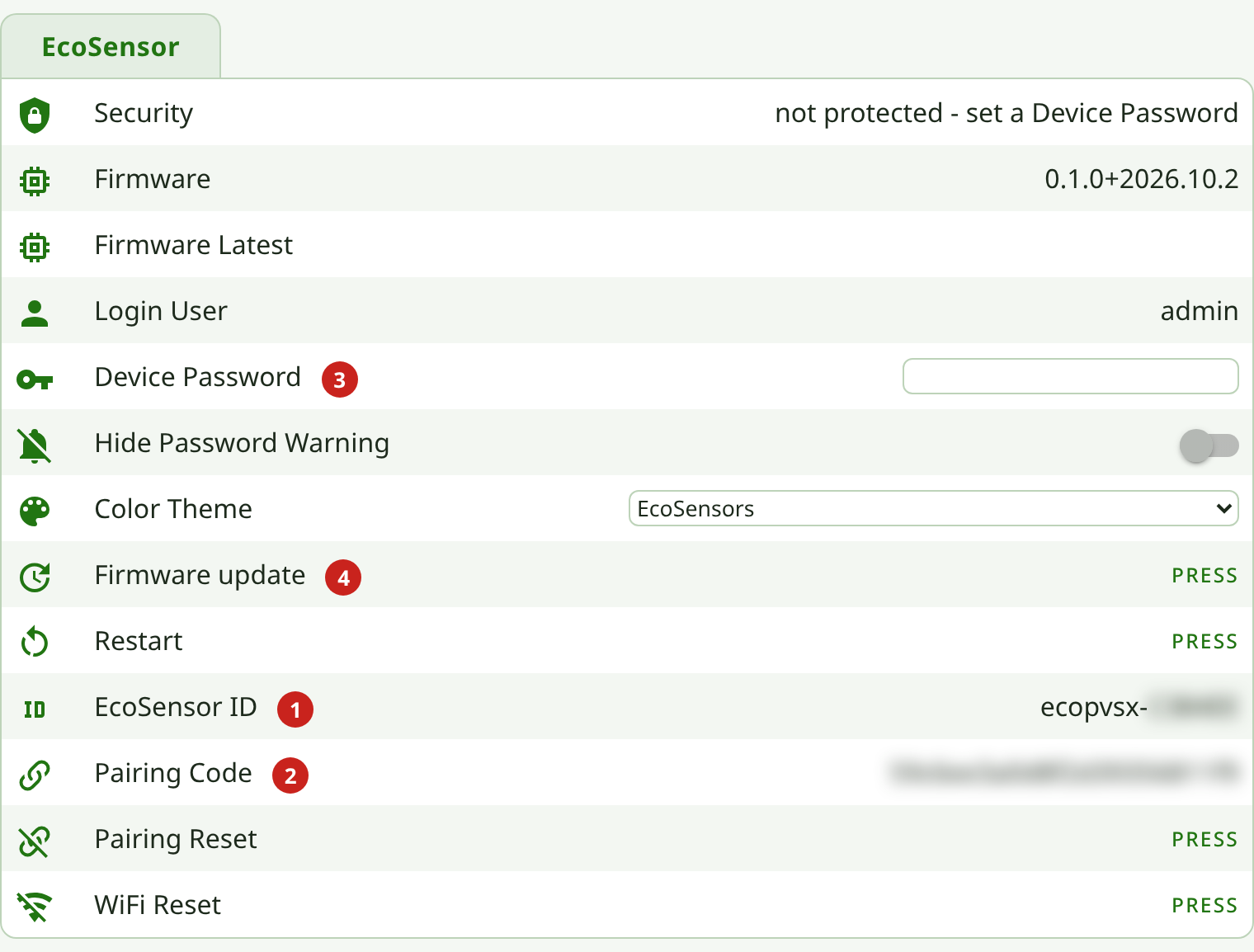
In the picture: 1 EcoSensor ID and 2 Pairing Code for the registration (once the stick has logged in to the cloud it reads "registered"), 3 the field Device Password, 4 the button Firmware update. Device identifier and code are blurred.