Home Assistant
Integrate the sensor locally in Home Assistant
The sensors of the Eco series can be integrated locally into the home automation software Home Assistant. On newer sensors (e.g. EcoMBR1) the interface is built into every firmware but switched off from the factory: you switch it on in the web interface when needed (see below). On older versions (e.g. EcoPVGX) it is part of a separate firmware variant (marked -ha, see Firmware update). If you do not use Home Assistant, you do not need this chapter.
Switching the interface on (EcoMBR1 and newer sensors)
Open the sensor's web interface and switch on Home Assistant API in the Home Assistant group. The sensor restarts. Add it to Home Assistant right afterwards (see below): Home Assistant sets the key itself, the sensor remembers it and from then on only accepts encrypted connections. For these sensors Home Assistant does not ask for a key. Without a connected Home Assistant the sensor does not restart.
As long as the interface is switched on and no Home Assistant has been added yet, anyone on your WiFi can connect to the sensor and set the key. So add the sensor immediately. Afterwards the key exists only in Home Assistant. If you lost it or set Home Assistant up again, press Home Assistant Key Reset in the web interface (Home Assistant group): the sensor deletes the key, switches the interface off and restarts. Then switch it on again and add the sensor anew.
To switch it off, set the switch back to off. The sensor restarts and the interface is closed afterwards (the stored key is kept).
Adding the sensor in Home Assistant
Applies only to sensors with a -ha firmware variant: it must be paired with Home Assistant, otherwise the sensor restarts every 15 minutes!
Add the sensor in Home Assistant as follows:
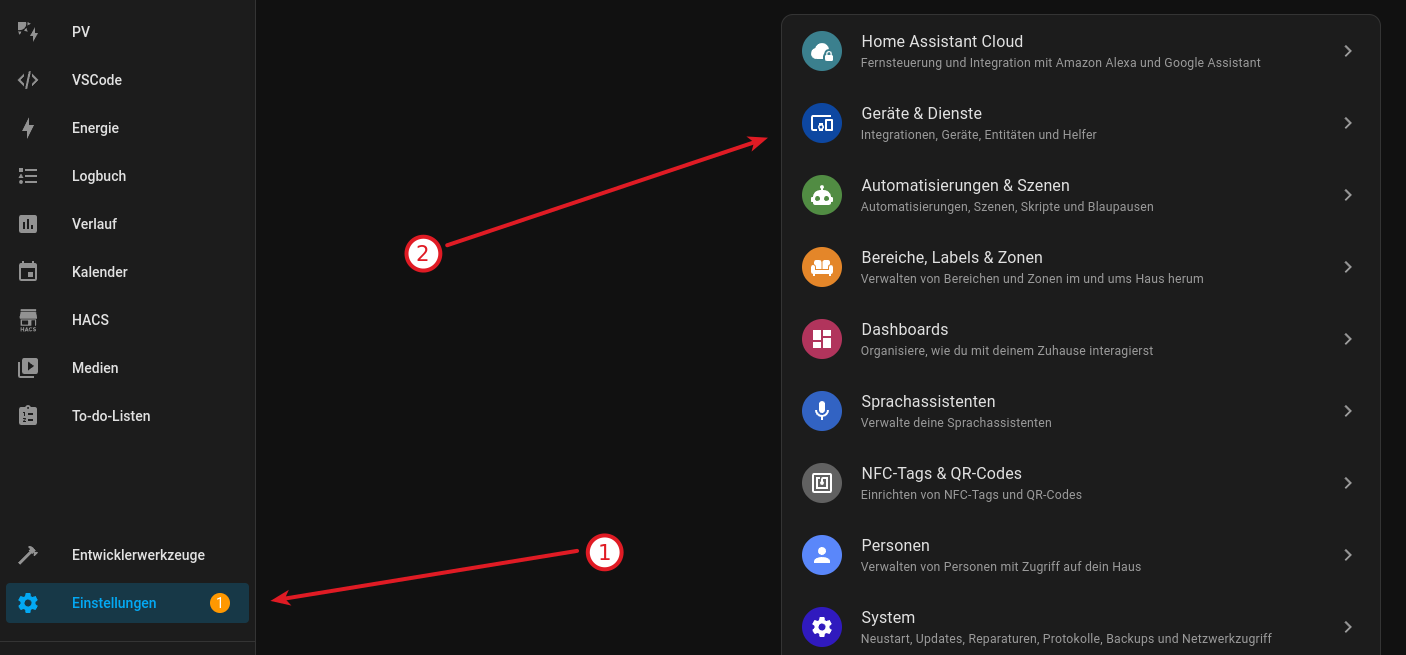
Settings (1) → Devices & services (2)
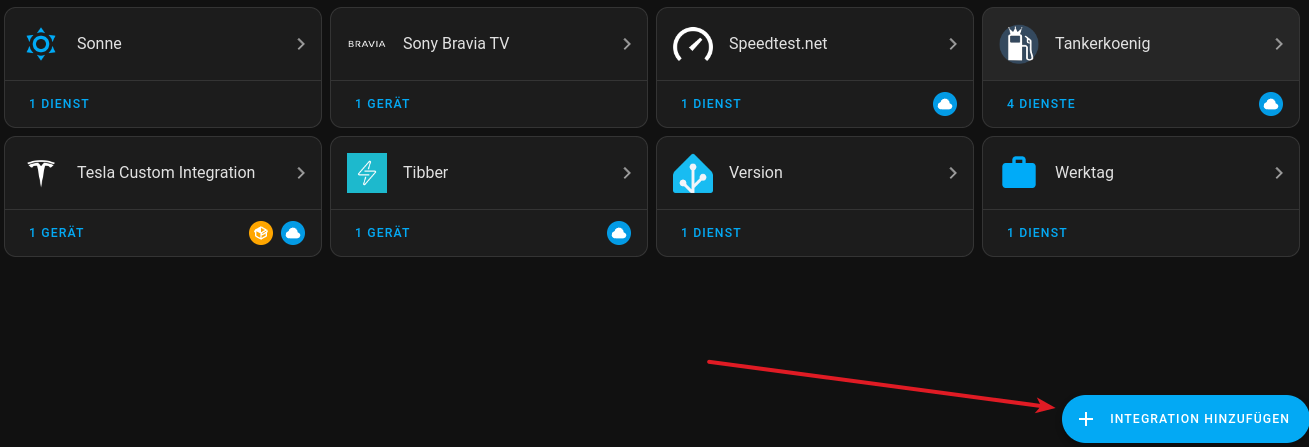
→ + Add integration
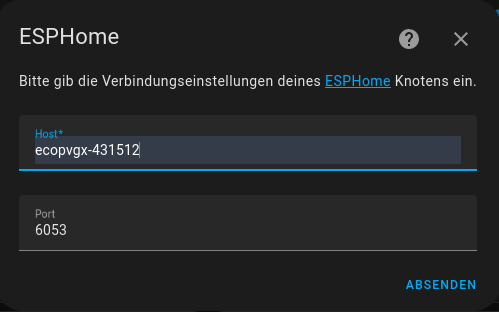
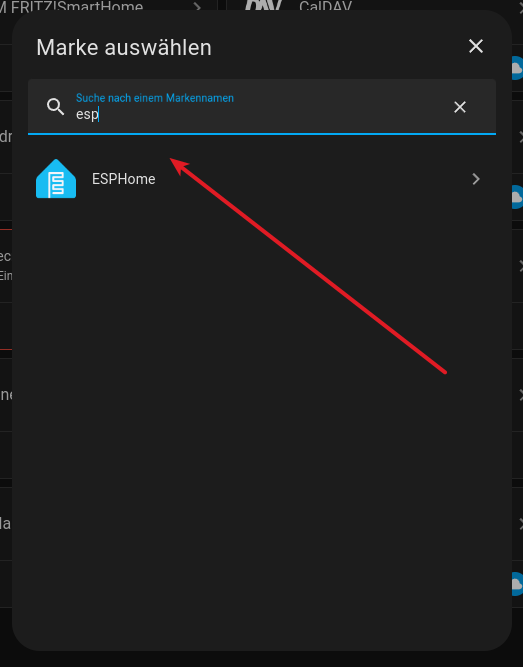
Now select "ESPHome" and enter the sensor's host name (eco…-<ID>). Sometimes .local has to be appended, e.g. ecopvgx-431512.local.
Only with a -ha variant you will then be asked for an encryption key. It is included with each sensor or will be sent to you by email. For sensors with the Home Assistant API switch this does not apply (see above).